Archive management utility for Android
ZArchiver is a free utility application for mobile devices from developer ZDevs. It is an archive management tool that allows users to open archived files across different formats, as well as create their own from stored files and folders. It also features multithreading support for faster multicore processing.
Top Recommended Alternative

Comparable to other archiving tools like RAR and PeaZip, ZArchiver strikes a nice balance between a simple and user-friendly UI and a robust feature set that can cater to those who are looking for extensive options and control. Everything works offline, so users don’t need an active internet connection to use it.
Mobile archiving tool
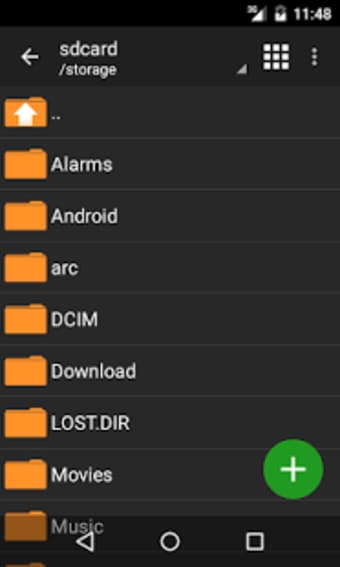
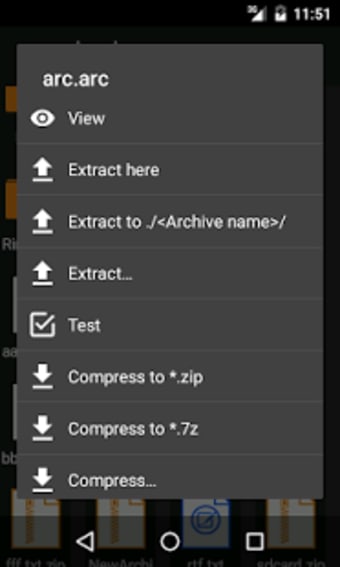
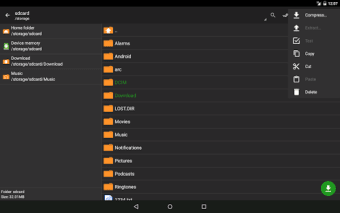
ZArchiver can manage archive files on the go. There is no need to connect the mobile device to a computer to manually archive files. Users can do it on their mobile device's local storage. The app features a simple user interface design for immediate file processing. They only need to select the files they wish to archive and press the compress option from the menu options.
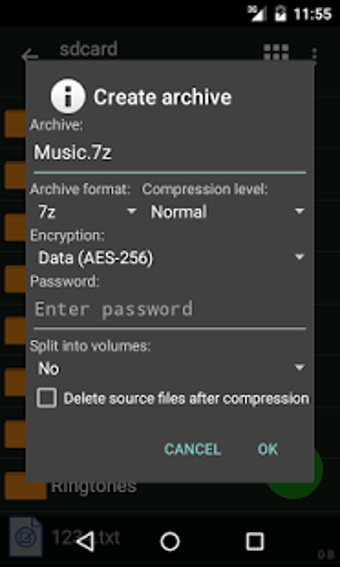
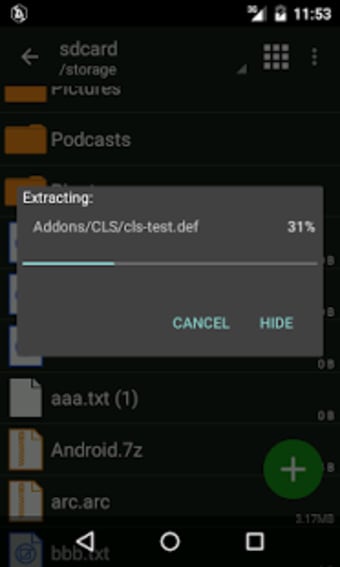
There is a wide selection of archive file formats that users can choose from. Zarchiver is compatible with most standard archive file formats, including zip, 7z (7zip), rar, rar5, bzip2 (bz2), gzip (gz), and XZ. Moreover, the app lets users extract the archives directly on their device and select the file location for the output. They can also edit the archive as well as read the entire contents. However, users must make sure that their device is able to read every file format.
Bypass extractions
For added convenience, Zarchiver also allows the opening of compressed files. Users also have the option of either partial or multi-part archive decompression. Furthermore, they can extract split archives to easily retrieve separate files. The app also allows users to check archived files received from their email apps such as Gmail . Zarchiver can manage passwords from encrypted archives. It can also compress multiple-selected files into a single archive and queue them.
Handle APKs
What's more, you can use ZArchive to handle and install APK files for applications, as well as their corresponding OBB archives that contain their data, if you have them backed up and stored on your device. This way, you won't have to redownload your favorite apps and games to save on bandwidth and data if you're on a cellular connection.
Every file secured
ZArchiver is a very useful tool to have for mobile device users. The app can save many files into a single archive, as well as open archive files. It can also encrypt these archived files for added security. What's more, it supports every standard archive file format, so you can read any file.